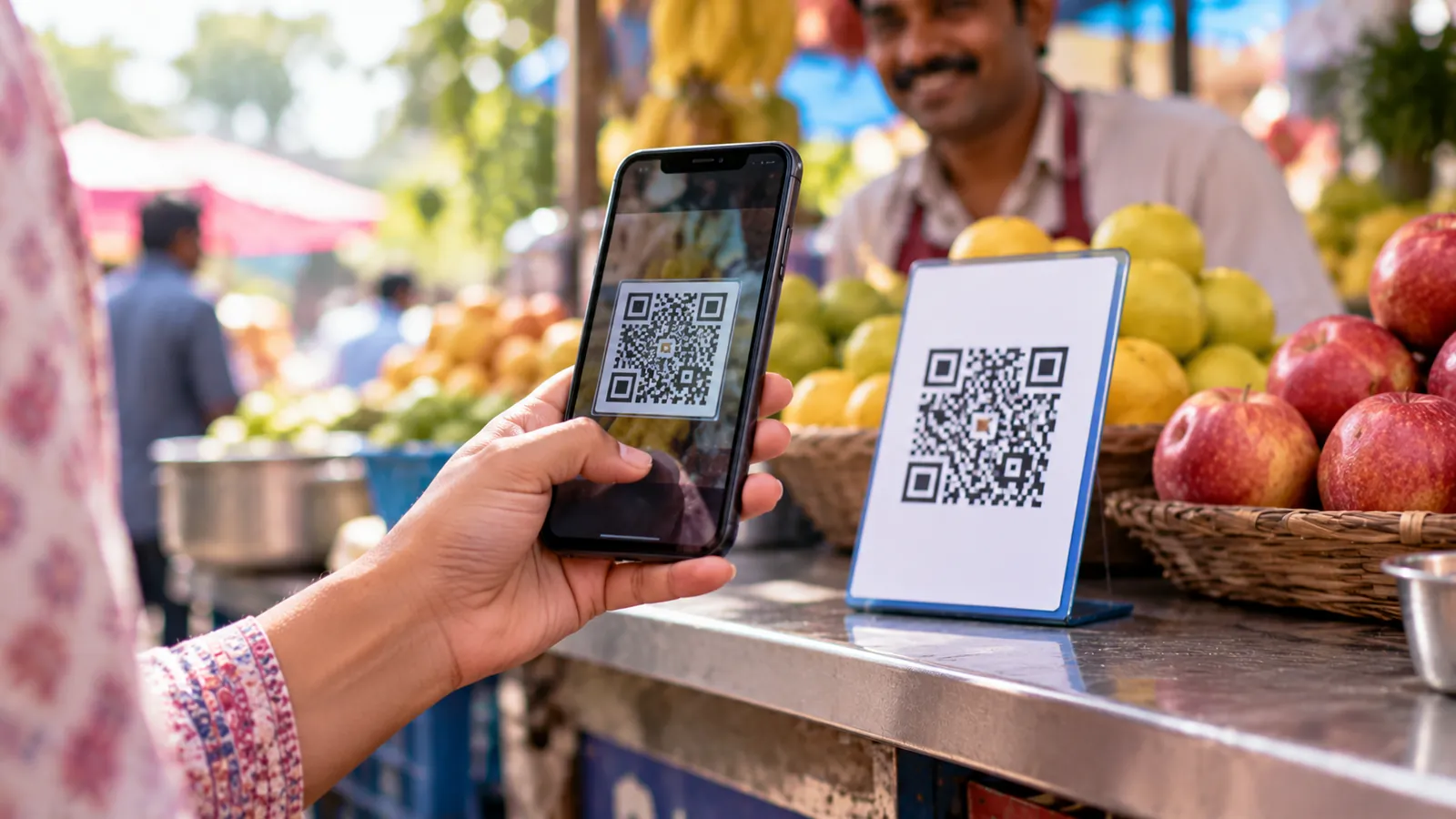
A UPI scam often begins outside the payment app: a buyer who sounds helpful, a refund call after a failed delivery, or a customer-care number found in a hurry. The person then supplies a story for why you should approve something. Pause the conversation and read the payment screen independently. Decide what the app is asking you to authorise, rather than what the caller says it means.
If money has already gone, contact your bank and call 1930 immediately, then report at the National Cyber Crime Reporting Portal. The Ministry of Home Affairs explanation of I4C and the reporting system confirms the portal and helpline. Do not wait to finish reading this guide or to assemble perfect evidence before seeking help.
Receiving money never requires your UPI PIN
NPCI's fraud-awareness guidance says scanning a QR code and entering a UPI PIN is for making a payment, not receiving one. Someone sending you money does not need you to type your PIN to release it. A PIN prompt presented as a refund, prize or buyer's payment is a reason to stop and inspect what you are actually authorising.
Treat a small demonstration payment as irrelevant to the next request. A person may gain your confidence by sending a little money and then asking you to repeat a different action. Check every screen afresh: recipient, amount, account and action. Never share a PIN or OTP in a call or chat, and never enter one on a webpage supplied by the caller.
Collect requests: understand the direction of payment
A collect request asks the recipient of the request to pay. In the classic scam, a buyer calls that request an incoming payment and persuades the seller to approve it. The approval instead authorises money to leave the seller's account. The important distinction is between receiving a request and receiving funds: they are not the same event.
There is also a current-product caveat: Union Bank's UPI FAQs state that raising P2P collect requests has been disabled in Union ease under NPCI guidance. Older tutorials showing anyone requesting money from anyone should not be treated as current instructions. Regardless of which payment request or merchant flow your app supports, approve it only for a payment you intended to make.
A QR code to receive a refund reverses the story
A fraudster may send a QR image with an instruction to scan it to collect a refund. The image can instead identify the fraudster as the payment recipient. A label pasted above the QR code does not change the action shown by your app. Read the amount and payee and back out if you expected incoming money.
Sharing your own receiving QR is different from scanning somebody else's payment QR. Union Bank's guidance describes sharing your account QR to receive funds. If a genuine payer needs your receiving details, provide only the appropriate UPI ID or receiving QR through a trusted conversation; do not follow that with PIN entry to authorise an alleged credit.
Screen-sharing and remote access expose more than a refund
NPCI's fraud-awareness page ("Downloading of unknown apps") warns that fraudsters trick people into installing screen-sharing apps. A supposed support agent may ask you to install software, share a session code or grant accessibility permissions while they fix a payment. That access can expose information or allow actions on the device. Do not conduct banking while somebody else can view or control your screen.
A familiar institutional name is no safeguard. RBI's warning about impersonation fraud describes criminals using official identities and pressure to obtain credentials or get victims to install unverified applications. End the call, then start a fresh support interaction through the bank's own app or website. Do not let the caller stay connected while you try to verify them.
Fake customer care and fake refund instructions
Search results, advertisements and forwarded numbers are leads, not identity checks. HDFC Bank's security guidance tells customers to obtain support details from its official site. Navigate to the bank or retailer yourself, open the support section and match the contact details. For an order problem, begin within the order's help flow rather than a number pasted into a review.
A useful response is: I will check this through my order and bank account. Then disconnect. Do not send a verification payment, approve a mandate or install an app because somebody says your refund will otherwise expire. If they claim too much money was refunded, independently establish whether any credit arrived and ask your bank how to handle it before returning anything.
A payment screenshot is not your receipt
A screenshot is an image, so its appearance cannot establish that your account received money. It may show another transaction or altered information. If you are selling an old device, open your own bank or payment app and find the matching incoming transaction before handing it over. Verify amount and status, not just a plausible reference number supplied by the buyer.
For example, imagine a buyer showing a success image and asking you to refund an alleged overpayment. Your first task is to verify the claimed credit in your own account. If it is absent or unclear, pause the handover and ask your bank. Do not send a separate payment merely to resolve the buyer's urgent story. A receipt investigation does not require trusting their screenshot.
What to do immediately after suspected fraud
- Stop the conversation and further payments. If remote access is active, disconnect that device from the network and use another trusted phone to contact the bank. Ask it to secure affected access and register a fraud complaint; HDFC Bank's security page provides its reporting routes.
- Call 1930 and file the incident at cybercrime.gov.in. Keep the acknowledgement and follow the helpline's instructions for completing the report. The I4C-branded portal warning directs victims to report immediately.
- Save the transaction reference or UTR, amount, time, recipient UPI ID, caller details, messages and relevant screenshots. Keep original evidence; do not erase the conversation before saving it.
- Raise the transaction issue through your payment app and bank as well. Ask for the correct dispute category and a complaint reference. ICICI Bank's UPI dispute FAQs describe bank-led dispute stages including NPCI review. This payment complaint is separate from the cybercrime report.
- From a trusted device, change compromised credentials with the bank's guidance. Remove untrusted remote-access software and permissions before using the affected phone for payments again. Track each complaint separately; reporting is not a guarantee of recovery.
Settings worth reviewing
Use a strong device lock and the payment app's available access lock; NIC's security-awareness guidance recommends strong screen locks. Turn on transaction alerts, keep the app and operating system updated, and review accessibility, notification-reading and screen-sharing permissions. These are practical precautions, not a promise that every fraudulent request will be detected.
Where available, block or report suspicious requesters and review mandates you do not recognise. Union Bank documents request-blocking and UPI-blocking controls; your app's names and available options may differ. Ask your bank about supported payment limits and emergency blocking. Do not assume there is one universal setting that prevents all incoming requests across UPI apps.
Related reading: if a payment simply failed but your account was debited, that is not fraud; our failed payment refund guide explains RBI's reversal deadlines. Before paying an unfamiliar shop, use our checklist for checking whether a seller is genuine.
Quick checklist
- Am I expecting money in, while the screen asks me to pay or authorise something?
- Have I verified support through the bank or retailer independently?
- Is anyone viewing or controlling my screen during banking?
- Have I checked incoming money in my own account instead of a screenshot?
- If affected, have I contacted my bank, called 1930 and saved the report references?
For purchase decisions, use the real-price guide, card-offer guide and EMI guide. No saving is worth approving a transaction you cannot explain.
Sources
Official sources checked on 15 October 2026. The MHA release documents I4C reporting; individual banks describe their own controls and dispute procedures.
- NPCI: fraud awareness
- RBI: cautions against fraudulent activities in its name (29 August 2024)
- National Cyber Crime Reporting Portal
- I4C: portal reporting warning
- MHA / PIB: I4C, cybercrime portal and 1930
- Union Bank: UPI FAQs and request controls
- ICICI Bank: UPI dispute FAQs
- HDFC Bank: safe banking and reporting
- National Informatics Centre: security awareness